Mobile POS App
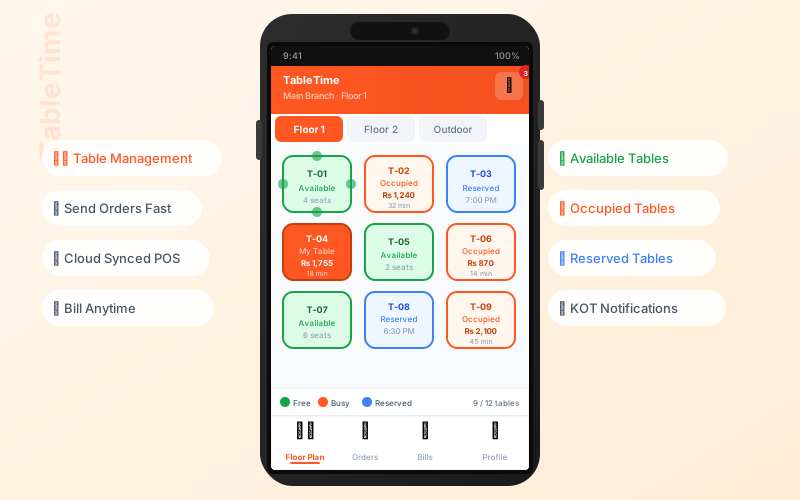
Official Sum Cloud POS app for Android & iOS (Flutter) — same cloud account as browser POS and Windows desktop. For restaurant waiters use TableTime, a separate app.
Mobile Point of Sale App – POS on Phone & Tablet
Our mobile POS app is a full point of sale mobile app for Android and iOS. Download the app, register your store at app.themetasum.com, and use the same POS on your smartphone, tablet, desktop app, and cloud web app – all in sync.
Available on Android & iOS
Same POS Everywhere – Mobile, Tablet, Desktop & Web
Use our point of sale mobile app on your phone or tablet. Register once at app.themetasum.com – then use the same store on the mobile app, Windows desktop app, and cloud-based web app. Sales, inventory, and customers stay in sync everywhere.
- Download Sum Cloud POS from Google Play (pos system android app)
- Register your store at app.themetasum.com
- Use on phone, tablet – or tablet POS system free trial on web
- Real-time sync across mobile app, desktop app, and web
Sum Cloud POS – mobile pos app for retail, grocery, and small business
Mobile POS App Features
Full-featured point of sale mobile app in your pocket – sales, inventory, offline mode
Complete POS Terminal
Full-featured POS terminal with barcode scanning, item search, cart management, and payment processing.
Offline Mode
Continue selling even without internet. All transactions sync automatically when connection is restored.
Barcode Scanning
Use your device camera to scan barcodes. Fast and accurate product lookup for quick checkout.
Inventory Management
View and manage inventory on the go. Check stock levels, update quantities, and track items in real-time.
Customer Management
Access customer database, view purchase history, and manage customer information from your mobile device.
Dashboard & charts
Sales trends, categories, top sellers, branch filters, and CSV export from the dashboard.
Shifts & cash
Start/close shift, opening cash, cash counts, and work-shift views aligned with store policy.
Hold & split payments
Queue held sales and split tender across multiple payment methods at checkout.
Sale returns
Process returns from sales history with the same catalog and stock discipline as web POS.
Purchases & suppliers
Supplier records, purchase flow, and expenses on the go — see also purchasing on web.
Production & recipes
Recipes and production orders for manufactured items — same module family as cloud inventory.
Deep reports
Reports hub: P&L, balance sheet, stock ledger, tax/discount, cashbooks, and more. Reports hub →
Languages
English, Urdu, French, and Arabic UI — RTL-friendly for regional teams.
Why Use Mobile POS App?
-
Work From Anywhere
Manage your business from anywhere - at the store, at home, or on the go. No need to be tied to a desktop computer.
-
Offline Capability
Continue processing sales even when internet is down. All data syncs automatically when connection is restored.
-
Real-Time Sync
All transactions sync in real-time across all devices. View updates instantly on desktop, tablet, or mobile.
-
Cost-Effective
No need for expensive POS hardware. Use your existing smartphones and tablets to run your business.
Available Platforms
Android
Available on Google Play
iOS
Available on App Store
Tablet Optimized
Perfect for iPad and Android tablets
Download the Best Mobile Point of Sale App
Get our mobile POS app on Google Play. Register at app.themetasum.com and use the same POS on phone, tablet, desktop, and web.